Highly successful people were doing at 25 year old


Mark Zuckerberg
Mark Zuckerberg was finally running a company that made money.

Zuckerberg had been hard at work on Facebook for five years by the time he hit age 25. In that year – 2009 – the company turned cash-positive for the first time and hit 300 million users.


Elon Musk
Elon Musk was running his first internet company.

Around 24, Musk dropped out of his Ph.D. program
at Stanford to join the dot-com boom and launch 
his first internet company, Zip2, which provided 
business directories and maps. Compaq bought the 
company for $307 million four years later, and
Musk used the money to launch his next startup 
venture, PayPal.


Eric Schmidt
Google executive chairman Eric Schmidt was building a deep background in computer science.

Schimdt spent six years as a graduate student at UC Berkeley, earning a master’s and Ph.D by age 27 for his early work in networking computers and managing distributed software development. He spent his summers at that time working at the famed Xerox PARC labs, which helped create the computer workstation as we know it.


Jeff Bezzos
Amazon CEO Jeff Bezzos had a cushy job in finance.

At 24, Bezzos went to work at Bankers Trust developing revolutionary software for banking institutions at that time. Two years later, he became the company’s youngest vice president.


Larry Ellison
Oracle’s Larry Ellison was working odd jobs as a programmer.

After moving to Berkeley, California, at 22, the self-taught computer programmer spent the next eight years going from one technical job to the next at place like Fireman’s Fund, Wells Fargo, and AMPEX until finally landing at Amdahl Corporation, where he worked on the first IBM-compatible mainframe system.



Marissa Mayer
Marissa Mayer was Google employee No.20.

At 24, Mayer became Google’s 20th employee and the company’s first female engineer. She remained with the company for 13 years before moving to her current role as CEO of Yahoo.


Mark Cuban
Mark Cuban was tending bar in Dallas.

By age 25, Cuban had graduated from Indiana University and moved to Dallas. He started out as a bartender and then a salesperson for a PC software retailer.


Richard Branson
The Virgin founder was already running a successful multi-faceted company.

At age 20, Branson opened his first record shop, then a studio at 22, and launched the label at 23. By 30, his company was international.


Sheryl Sandberg
Sheryl Sandberg was getting her master’s degree at Harvard Business School.

At age 25, Facebook’s COO had already graduated at the top of the economics department from Harvard, worked at the World Bank under her former professor, mentor, and future Treasury Secretary Larry Summers, and gone back to Harvard to get her MBA, which she received in 1995.


Steve Jobs
Apple cofounder Steve Jobs took his company public and became a millionaire.

By the end of its first day of trading in December 1980, Apple Computer had a market value of $1.2 billion. Jobs told biographer Walter Isaacson that he made a pledge at that time to never let money ruin his life.


Warren Buffett
Warren Buffett was an investment salesman in Omaha.

In his early 20s, Buffett worked as an investment salesman for Buffett-Falk & Co. in Omaha before moving to New York to be a securities analyst at age 26. During that year, he started Buffett Partnership Ltd., an investment partnership in Omaha.


Donald Trump
The young real estate developer was given control of his father’s company, Elizabeth Trump & Son.

A Republican presidential nominee hopeful, billionaire real estate mogul, and television personality, Trump grew up wealthy, but learned the value of money from his father, who had him pick up empty soda bottles for cash at their construction sites.


Top 11 Photo Slideshow

Photo Show your photos tell stories, fun, funny sad heart hurts bitterly angry hate. At the same festival or gathering, you are sure to be many sheets you can compile an album or a slideshow too. With slideshow, you can use a lot Software Professional, such as Sony Vegas or Adobe Premiere Pro, Windows Movie Maker even the Windows XP can also do well. Nest recommend programs in the top 10 who specialize in photo slideshow once, including the following:

1. PhotoStage Slideshow Pro


With the simple user interface of PhotoStage Slideshow Pro software, you can use by yourself very easily. You can pan or zoom effects can include audio clip songs rich. Not only you can add or reduce the length of the effect / Transition to the requirements and you can even add brightness and contrast as well as saturation too.

2. MAGIX Photostory 2014 Deluxe


MAGIX Photostory 2014 Deluxe also unbeaten PhotoStage Slideshow Pro. In addition to the various functions such as the Transition, effects, text, sound, you can use this software to create a video, which has up to 4K (4000 pixels).

3. ProShow Gold 6


Besides the images ProShow Gold 6 also allows you to enter the video clip as well. This program offers many different effects and animation that help your slideshow even more lively.

4. PicturesToExe 8


The PicturesToExe 8 is also a better option for making photo slideshow. This program does not limit the number of images that you inserted into the project, and more importantly, with the Deluxe version, you can create Transition effects by itself has more. Not only can you control the opacity, blur, unsharp mask and keyframe animation easily.

5. Photostory Easy


Additionally, you can insert a second audio track, such as music and noise around that makes you feel like are in the program anyway.

6. CyberLink Mediashow 6 Ultra


CyberLink Mediashow 6 Ultra is a application that have many tool for help slideshow to easy to remove noise, shaking stabilizer, adjust brightness, contrast, saturation and remove background noise (audio).

7. DVD Slidershow Builder Deluxe


DVD Slideshow Builder is also comes with crop, rotate tools and special effects like Old Picture, Wood, Inverse, and something more special software that is able to change (switch) between 4: 3 and 16: 9 and can create a 3D video has more.

8. MediaImpression 3 HD


MediaImpression 3 comes with a tool for working with video and photo editing, such as Red-Eye Removal, Dynamic Lighting, and Face beautify. In addition, the program allows you to rate the photos and tag faces and scenes, posing as a convenience in finding specific images you want.

9. Photo MovieTheater


Photo MovieTheater give transition effects only 29 styles and allow you to add background music, caption, illustration, narration, effect...etc. For publish you can upload to youtube or Burn to DVD or Blue-ray Disc.

10. Wow Slider 


Wow slider is a slider this program has a very simple user interface and give many effects styles to all of you.

11. InAlbum Deluxe


The final program is InAlbum. This program has a very simple user interface and the same program brought with him a different kind of background templates 300, with Transition effects 50. However, you can enter the picture only once 1100.

Top 10 programming language in 2015

Programming Language is a means of communication between the programmer and the computer. The nest recommend 10 programming languages, you should automatically for 2015, including the following

   1.       Java Programming Language 
    

Java is a language programming that features a class-based, object-oriented, and created by Sun Microsystems in the mid-90s. One is a popular demand for writing software for large enterprise applications, web-based games and applications for mobile since the Nokia series S40 until Android. Java is designed to be able to run on multiple platforms as different applications in Mac OS X can run on Windows.

   2.       C Programming Language 


C Programming Language is the first and oldest is the most widely used for creating applications. Was founded in the 70th century, most of which were used for the operating system (operating system) and application type embedded applications. This can be considered as a basic foundation for other languages, you should learn C before moving into other languages.

   3.       C++ Programming Language 


C ++ as a language in the Intermediate (Intermediate-level language) with features object-oriented programming, which is the complement of the C language C ++ language is used to write many popular programs such as Firefox, Win amp and Adobe. This language is also used to create Systems software, application software, and high-performance server and client applications, along with video games too.

   4.       C# Programming Language


C # is C-sharp, which features a multi-paradigm, developed by Microsoft. This language is a language characteristic combination of C and C ++ and is used for programming for Microsoft Windows platforms.

   5.       Objective-C Programming Language 


Objective-C is a language that features object-oriented programming as their own, but were created for Apple's operating system. This is famous because of the language used in programming the iPhone.

   6.       PHP Programming Language


PHP (Hypertext Processor) is a language which is server-side scripting, which is used for creating dynamic websites and applications. PHP is used in writing powers more than 200 million websites, including Wordpress, Digg and Facebook.

   7.       Python Programming Language


      Python is a high level (high-level language), which is used mostly on websites and mobile apps. This can be considered a language that is easy for you, who will start first level programming language. This language was used in the famous sites, a number such as Instagram, Pinterest and Radio.

8.       Ruby Programming Language


Ruby as a language that is dynamic and object-oriented scripting for creating websites and mobile apps. Ruby is a Ruby on Rails (Rails) framework, which is used in the famous sites such as Scribd, GitHub, Group on, and Shopify. Like Python, Ruby is much more complicated, and as an option for you first start learning programming.

   9.       JavaScript Programming Language


JavaScript is a language that has Client and Server-Side Scripting, which was created by Netscape, which derives mostly from the C language. This language is used to create movement in the website. This can also take game development and writing desktop applications as well.

   10.       SQL Programming Language


Structured Query Language (SQL) is a language that has been created in order to facilitate all the data in a relational database management system. Most commonly used is the "Query" function, which helps to find data.

11 point learn to apply yourself to your computer faster

The use of a computer all day is a lot of files that are stored, making a slow computer so that it runs faster experts suggest a few tips so you can learn effectively implemented.


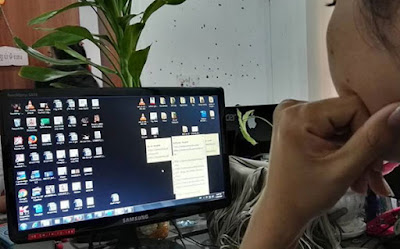
   1.       Avoid placing files on Desktop
We put too many files on the desktop makes full drive C without knowing it, as we put it up or close it makes RAM (Random Access Memory) that was our temporary data processing, all processing or storing data, making machines our computer slower than normal if the files are large.

   2.       Deleted Temporary File
Click the Windows + R, type% temp%, or  "% tmp%"  or  "temp",  press Enter and then select all the files and delete them.

   3.       Disk Cleanup
By clicking the button Windows + R, type cleanmgr" Choose a drive to clean up.

   4.       Disk Defragmenter
Because when we open multiple applications at the same time, it also can cause a slow computer as well as to avoid click Windows disk cleaning it and drive.

   5.       Deleted document that not important from Prefetch Windows
By clicking Windows + R Prefetch type a file to delete all useless.

   6.       Closed start up application
By clicking Windows + R, type msconfig and then close that we feel is necessary or not.

   7.       Deleted Application that not important
By clicking Windows + R and type "appwiz.cpl" search or click the Windows Control Panel, deleting unused is optional.

   8.       Clean Registry
Used Registry clean up tool to clean your computer.

    9.       Deleted Extension that not important in Browsers  
We put too much Extension Browser also cause your computer slow.
On Chrome, go to Settings, choose the Extension, and then remove it.
On Firefox, go to Add on Select Extension and then remove it.  

   10.   Update Drivers
We update each driver may have expired or backwards, causing the user does not have the same smooth to Driver one of the things we want to update just press the Windows + R and type "devmgmt.msc" press Enter, it will display the Device Manager and click on the Driver and Mouse pane and click Update Driver and choose Searching Automatically.

   11.   Full scan virus
You must scan virus in your computer virus or malware can also cause slow computer.


Your bad habits 6 makes driving a broken car without knowing it

The driver alone is not enough yet, but by the need to find out how to care and to study the factors causing further damage. The following is the bad habits of a small number of drivers which can cause damage without knowing it:

1. Not use the handbrake


Not that when parking in the slope or flat parking area without using the handbrake is it provides all the pressure to box number. Something unique in the box that can balance the car, a small needle is the so-called " parking pawl ". Like this, through the use of the parking brake when it will help ease the pressure of the dialog box and can add life numbers have been even longer.

2. Not yet pleasantly stopped immediately switch


Inside the box is a lot like this when change without properly stopped seems like a job as braking control which provides a huge pressure to small systems. Doing this can also cause damage shaft, a one-minute power transmission to the wheels.

3. Riding downhill and used brakes


Riding downhill with brakes may be the safest method, but riding on the road distance may cause skin hv_rom overheating and damage quality. This should ride with no brakes occasionally if.

4. Washing machine, a hydraulic car

Some car wash if the use of force can make some parts of the affected like a protective membrane.

5. Regardless of the vehicle

Sometimes the sound emitted by a car lets you know that the car is still something so when the driver should take a listen to the sound of cars, rather than listening to music or radio.

6. The sting of gasoline fell to the bottom remain forward


Ray Sparrow expert, a mechanic, said that if the car out of fuel, and still farther The problem will occur for the engine. For vehicles with engine diesel consumption problems may occur on the worship of the vehicle with damage because of the rich in the air rather than diesel.

For vehicles with engine using gasoline is slightly better than diesel. But there's a point where you should worry about is if you have already filled fuel also remains can be started. This can come from a clogged air. Air contained in the fuel tank of gasoline cannot drain into the machine, which is to help repair and it can cost more than the price of gasoline, which you save.


Four reason that Android's users should avoid

If you intend to use, or just use a new phone, you always hear the words introduced much of what should be done first, but seemed to have no instructions about what should not do that.


Samsung is killing it in the marketplace, outselling not just other Android OEMs, but even beating Apple at various times. You’ve probably heard the banter about Samsung forking Android and taking Google out of the equation, but that’s not the real problem Google is facing. Samsung is selling so many Android phones that Google could simply lose control. Samsung doesn’t have to fork Android — Google no longer has any choice but to do Samsung’s bidding.


The following guidelines should not do four things for you just use the first Android phone:

1. Should not buy an Android phone without updating the operating system


Said the updated operating system, it is like a big negative for the Android phone. This is also because there are some phones hardly get a new operating system updates at all, although it a new series of mobile phones that have issued. But there are also some of the phone companies still receive updates new realities, such as Samsung, Sony, HTC or Google.

2. Shouldn't be installed an application without prior research

Root the phone is a big consideration because it can cause a whole new phone's user If there is a random error. For that there are several methods to fix the phone, but should avoid root better.

3. Should not use the phone plug-in battery


Before plug battery phones are popular for off the phone to save Saving the battery, but the Android system is currently capable enough can make managing these mobile applications without batch plug-in installed.

4. Root should not call unless you are sure that they are doing


Root the phone is a big consideration because it can cause a whole new phone's user If there is a random error. For that there are several methods to fix the phone, but should avoid root better.